Storias for ChatGPT
Storias for ChatGPT: a finished film, made in the chat.
Attach a video or paste a link, and ask for a film. Storias is an AI video director: it directs the film around your recording, with captions from your voice, the facts you say on screen and the motion design of the look you pick.
Storias has been submitted to OpenAI’s ChatGPT app directory and is in review. Until it is listed, you can connect it yourself in a few steps.
- HD, no watermark
- Commercial use included
- Pay per second of finished film
Storias in ChatGPT · 1:17. Open the demo on its own page
How it works
Connect once. Then ask in plain words.
- 01 · Connect
Connect Storias once
Add the Storias app in ChatGPT, choose Connect, sign in to your Storias account and approve. Any Storias account can connect.
- 02 · Ask
Ask in plain words
Attach a video or paste a link, and say what you want. ChatGPT can show you the looks first, and it confirms with you before it spends any credits.
- 03 · Watch
Watch it in the chat
Ask how the film is going. When it is done, a card in the chat plays the finished film, with links to watch and download it.
In ChatGPT
What you can do in ChatGPT.
Five things, asked for in plain words, and a card that plays the film.
See the looks
Ask which looks there are, and which one suits your video.
Make a film
From a link, or a video you attach in the chat. It confirms with you before it spends any credits.
Check a film’s progress
Ask how far a film has got. When it is done, you get links to watch and download it.
Check your credits
See how many credits you have.
List your recent films
See the films you made recently.
Watch it in the chat
A card in the chat plays the finished film.
The looks
The looks you can ask for.
There are 8 Pro looks (vertical), 12 Ultra looks (vertical or widescreen) and 8 Captions styles (vertical). Every look is in every plan, and every film costs the same: 1 credit for each second.
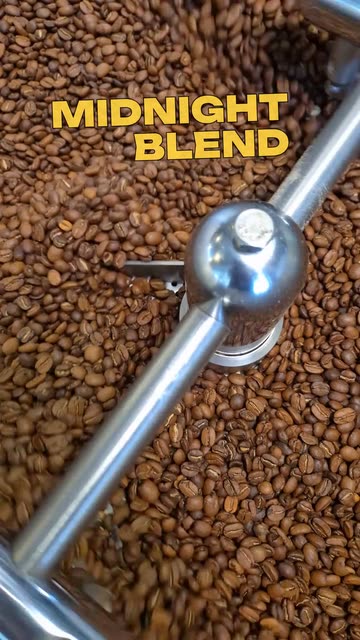
Captions · 9:16
Kinetic
Bold stacks of words build above your head on the beat, then whip to the next line.

Captions · 9:16
Sticker Drop
Chunky die-cut stickers slap into the corners as you talk, then peel away.
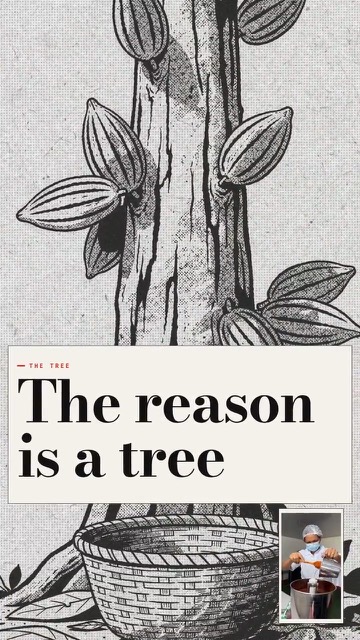
Ultra · 9:16 or 16:9
Financial Journal
Evidence-led reporting with documents, charts, archive, and analysis.
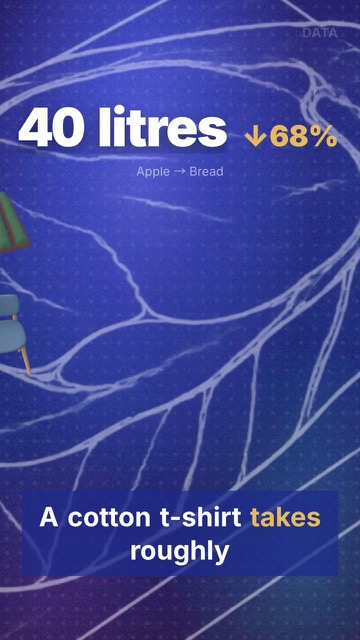
Ultra · 9:16 or 16:9
Data
Creator footage, source context, and factual charts in a data field report.
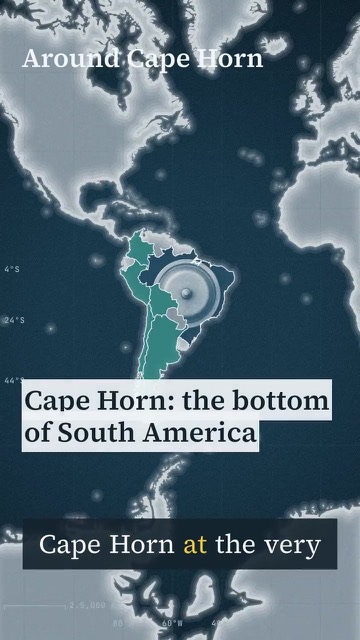
Ultra · 9:16 or 16:9
Atlas
Creator-led investigations with real routes and field footage.
What you attach
Start with a recording.
Storias works from a recording of you talking: filmed on your phone, or a clip you already have. In ChatGPT you attach the video or paste a link to it, and Storias directs the film around it.
- Captions from your voice, word-accurate
- The facts you say, drawn on screen
- The motion design of the look you pick
A sample recording, the kind of clip you attach: a house walkthrough.
Connect it yourself
Connect it yourself, today.
Storias has been submitted to OpenAI’s ChatGPT app directory and is in review. Until it is listed, you can connect it yourself.
- 1
In ChatGPT, open Settings.
- 2
Turn on Developer mode.
- 3
Add an app, and enter this URL.
App URLhttps://api.storiasai.com/mcp - 4
Choose Connect, sign in to Storias and Approve.
Disconnect anytime in Storias under Settings → Connected apps.
What Storias is
Storias is an AI video director.
You record yourself on your phone (the web app has a teleprompter) or upload a clip. Storias directs the film around your recording: captions from your voice, the facts you say on screen and the motion design of the look you pick. Your recording stays whole.
Captions from what you say
Word-accurate captions, written from your voice. In the web app you can correct any word before you render.
The facts you say, on screen
What you say is put on screen in the motion design of the look you pick.
Ultra looks add the evidence
Ultra looks add pictures, charts, documents and maps.
Credits
Credits are the only limit.
Any Storias account can connect. A film costs credits, and nothing else stands in the way.
- 1 credit is 1 secondA film costs 1 credit for each second of finished film, and at least 15 credits.
- Asked firstChatGPT confirms with you before it spends any credits.
- Nothing is sold in ChatGPTWhen credits run short, it says how many you need and links to the pricing page.
- A failed film is never chargedIf a film fails, you are not charged for it.
- HD, no watermarkCommercial use is included.
- A finished film is finalIt cannot be changed afterwards, so choose the look first.
Questions
Questions, answered.
Is Storias in the ChatGPT app directory?
Not yet. Storias has been submitted to OpenAI’s ChatGPT app directory and is in review. Until it is listed, you can connect it yourself.
How do I connect Storias to ChatGPT?
In ChatGPT, open Settings and turn on Developer mode. Add an app with the URL https://api.storiasai.com/mcp, then choose Connect, sign in to Storias and Approve. Any Storias account can connect, and you approve once. The steps are above, and the Support page has more help.
What can Storias do inside ChatGPT?
You can see the looks, make a film from a link or a video you attach, check a film’s progress, check your credits and list your recent films. A card in the chat plays the finished film. You can watch it work in a short demo.
What does it cost?
A film uses your Storias credits: 1 credit for each second of the finished film, and at least 15 credits for a film. A film that fails is never charged. ChatGPT confirms with you before it spends any. Nothing is sold inside ChatGPT: when credits run short, it says how many you need and links to the pricing page.
Does Storias change my recording?
No. Storias is an AI video director: it directs the film around your recording. It writes captions from your voice, puts the facts you say on screen and gives the film the motion design of the look you pick. Ultra looks add pictures, charts, documents and maps. Your recording stays whole, and Storias needs a recording to work from.
How do I disconnect Storias from ChatGPT?
In Storias, open Settings, then Connected apps, and choose Disconnect. The connection stops working at once.
Ready when you are
Make your first film from a chat.
Create your Storias account, then connect it to ChatGPT.